Troubleshooting & Configuration Tips from Be Cool Refrigeration
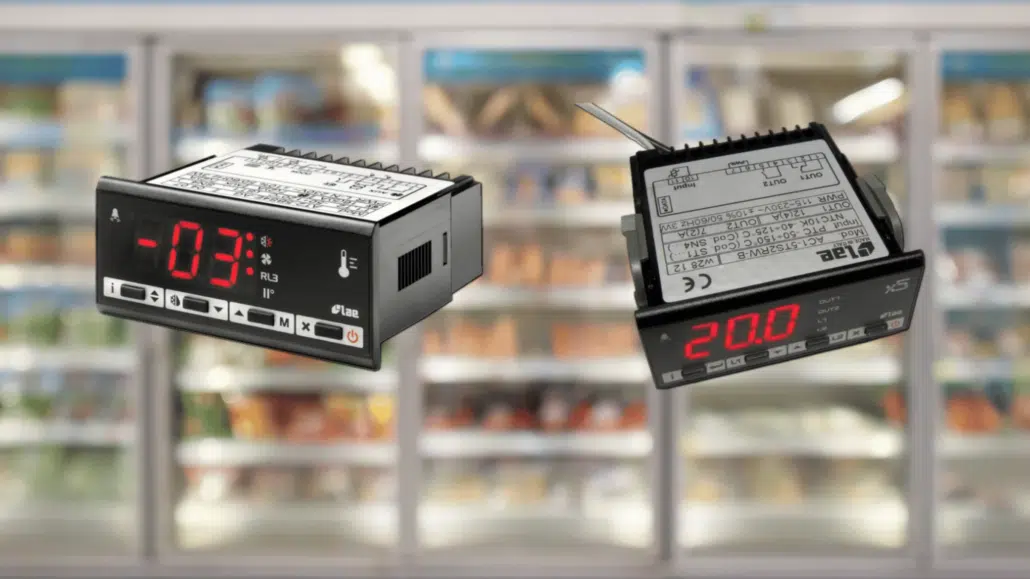
If you’re running a commercial freezer, cold room, or chiller that uses an LAE temperature controller, knowing how to read and interpret the display codes can save you time, money, and product loss.
This guide outlines common LAE controller error codes, what they mean, and how to access and adjust basic configuration settings — based on our 20+ years of on-site experience helping businesses keep their refrigeration systems running smoothly.
LAE Controller Error Codes – What They Mean
Use this table to identify issues when the controller displays an unexpected message:
| Code | Description | What It Means / Action Needed |
|---|---|---|
| dEF | Defrost in progress | Normal cycle — unit is defrosting. No action required. |
| rEc | Recovery after defrost | System stabilising after defrost. Allow it to finish. |
| oFF | Controller in Stand-by | Unit is turned off or in manual standby. Press ON or check settings. |
| cL | Condenser clean warning | Scheduled maintenance alert — clean the condenser coils. |
| do | Door open alarm | Door has been left open — close to reset. |
| hc | Condenser high temperature alarm | Poor airflow or blocked fan — inspect and allow unit to cool. |
| hP | Condenser high pressure alarm | System pressure is too high — call technician. |
| hi | Room high temperature alarm | Temperature has exceeded setpoint range. Investigate cooling issue. |
| Lo | Room low temperature alarm | Temperature too low — check setpoints or probe placement. |
| E1 | Probe T1 failure (main room sensor) | Replace or reconnect probe. |
| E2 | Probe T2 failure (evaporator sensor) | Often related to defrost cycle — check probe. |
| E3 | Probe T3 failure (aux/condenser sensor) | May affect condenser or second evaporator — inspect and replace. |
How to Enter LAE Configuration Mode
To adjust your settings:
- Press SET + UP together for 5 seconds.
- Use UP / DOWN to scroll through the parameters.
- Press SET to view a parameter’s value.
- Hold SET and press UP / DOWN to adjust.
- Release SET to save and move to the next parameter.
- Exit by pressing nothing for 30 seconds or pressing SET again
Press SET + UP together for 5 seconds.
Use UP / DOWN to scroll through the parameters.
Press SET to view a parameter’s value.
Hold SET and press UP / DOWN to adjust.
Release SET to save and move to the next parameter.
Exit by pressing nothing for 30 seconds or pressing SET again
Essential Configuration Parameters Explained
Here are some key setup options with plain-English explanations to help you get the best performance:
| Parameter | What It Does |
|---|---|
| SPL / SPH | Sets the min/max allowed temperature range. Useful for preventing accidental overcooling/heating. |
| SP | Main setpoint — the temperature you want maintained in the room. |
| HYS | Temperature differential — helps prevent short cycling. |
| C-H | Mode selector: use REF for cooling, HEA for heating. |
| DFT | Time between automatic defrosts (in hours). Set based on your frost load. |
| DTY | Defrost type: ELE = electric, GAS = hot gas, OFF = off cycle. |
| FID | Enables or disables fan operation during defrost. |
| DLI / DRT | Sets when defrost should end (based on temperature). |
| ATO / AHM | Controls alarm thresholds and how the unit behaves during overheat/high pressure conditions. |
| OS1–OS3 | Sensor offsets — helpful if your temperature readings are slightly off. |
| ATM | Alarm threshold method: ABS for absolute values or REL for relative to setpoint. |
| ACC | Sets how often the unit reminds you to clean the condenser. |
| CRT | Compressor rest time between cycles — useful for extending equipment life. |
Pro Tip: Defrost & Fan Setup for Best Results
- If DFM = NON, no defrost will ever run — even manually.
- If C-H = HEA, the unit is in heating mode, and defrost won’t trigger.
- If DFT = 0, automatic defrost is disabled.
- During high pressure alarm, defrost is paused.
- During defrost, high temperature alarms are ignored — this is normal.
If DFM = NON, no defrost will ever run — even manually.
If C-H = HEA, the unit is in heating mode, and defrost won’t trigger.
If DFT = 0, automatic defrost is disabled.
During high pressure alarm, defrost is paused.
During defrost, high temperature alarms are ignored — this is normal.
Want Your System Running at Its Best?
Whether you need help interpreting a code, adjusting setpoints, or planning a full cold room setup we’re here to help. At Be Cool Refrigeration, we’ve supported businesses since 2004 with reliable commercial refrigeration services across the UK.
- Cold Room Installation
- Our Projects
Inverter vs Non Inverter AC
Inverter vs Non-Inverter AC: Your Friendly Guide to Smarter Cooling Choosing the right air conditioner…
Air conditioning Repair
Air Conditioning Maintenance & Service
Air Conditioning Heat Pumps
Commercial Refrigeration Maintenance
Ice Machine Repair & Install
Cold Room Install & Repair
upto £140 off T&C’s Apply
lae fridge controller, commercial freezer temperature alarm, lae controller, lae electronic temperature sensor, lae temperature controller, lae controller manual, labcold fridge error codes, lae controller parameters, lae controller fault codes, lae parameters

Written by
Ali Elm
Ali is the Head of Operations at Be Cool Refrigeration with over a decade of hands-on experience in HVAC and commercial refrigeration. He oversees every installation, repair, and maintenance project, making sure the work meets the highest standards. Ali holds full F-Gas certification and has worked across residential, commercial, and industrial refrigeration systems throughout London and the South East. When he is not on site, he writes these guides to help business owners and homeowners understand their cooling systems better.